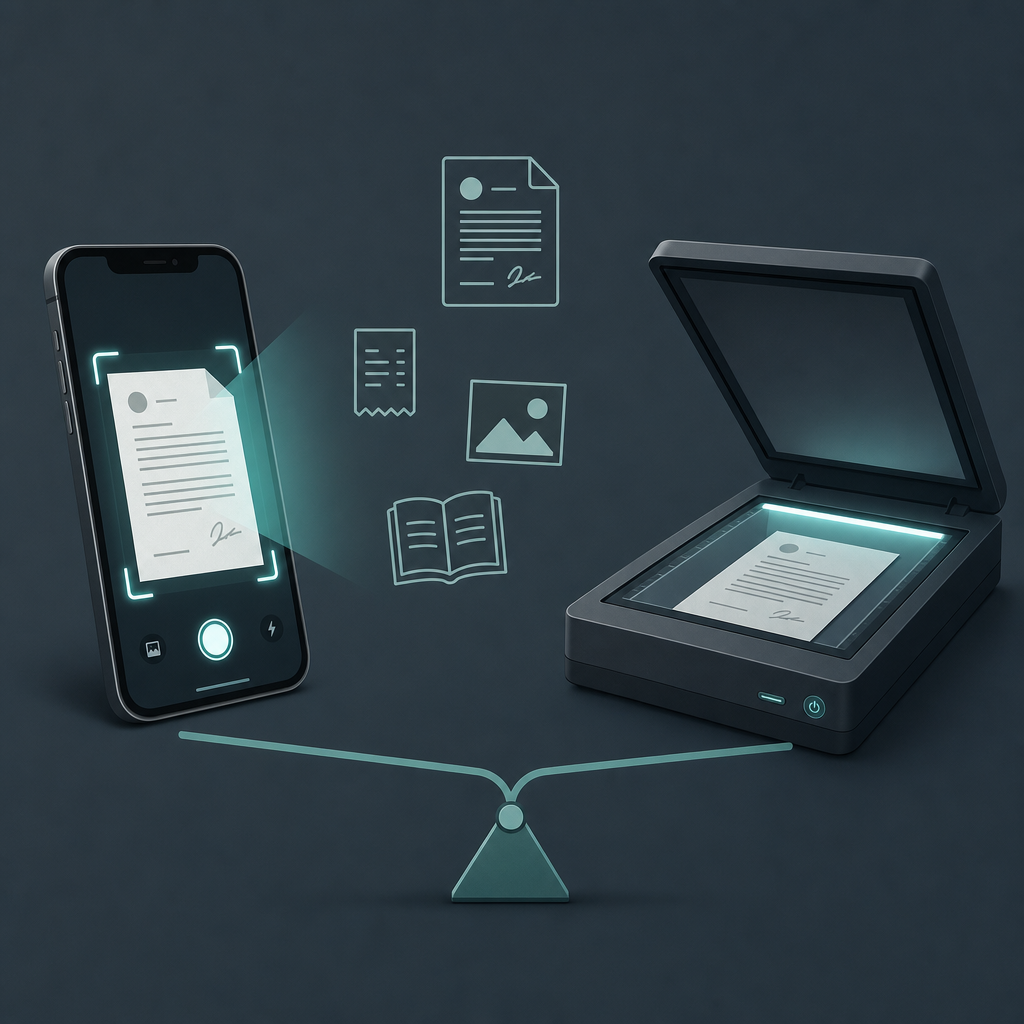
Short answer: For everyday paperwork — contracts, receipts, forms, the odd ID — a phone scanner app wins on speed and convenience, and the output is good enough to be accepted and archived. A flatbed scanner still wins for bound books, fragile photos, and large batch runs through an automatic document feeder. For most people, most days, the phone is the one that actually gets used.
That last part is the whole argument. The best scanner is the one within reach when a leasing office wants a signed page back in ten minutes. A flatbed sitting in a home office two rooms away loses that race before it starts. So the real question is not "which captures more detail" — a flatbed obviously can — but "which one finishes the job you actually have." I ran the same four document types through both to find where each genuinely earns its place.
How I tested this (and what I won't pretend to measure)
I took four document types — a two-page contract, a crumpled coffee-shop receipt, a printed family photo, and a paperback page — and captured each one twice: once with a phone using a mobile document scanner, once on a consumer flatbed. I judged each result on four things: prep-and-capture speed, edge-to-edge contrast and legibility, whether the output is acceptable for legal or official submission, and plain convenience.
What I am not doing is quoting an OCR accuracy percentage or a file-size figure. Those numbers swing wildly with lighting, the specific app, the export setting, and the page itself, and I have no way to verify a clean lab number here. Where a spec is genuinely fixed — like a flatbed's rated optical resolution or feeder capacity — I'm pointing at the manufacturer's own spec sheet rather than guessing. Treat my speed and quality findings as qualitative judgments from one pass, not benchmarks.
The criteria matrix, by document type
This is the part worth bookmarking. The verdict flips depending on what's on the table.
| Document type | Phone scanner app | Flatbed scanner | Who wins |
|---|---|---|---|
| Contract / signed form | Fast; auto-crop and perspective fix straighten a handheld shot; exports a clean multi-page PDF | Very flat, very even, but you walk to it, lift the lid per page, and stitch pages | Phone — speed and a tidy PDF beat marginal flatness gains |
| Receipt (thermal, crumpled) | Black-and-white document filter rescues low-contrast thermal ink; flatten-crop hides wrinkles | Glass holds it flat but a folded receipt still casts shadow lines under the lid | Phone — and it's not close for shoebox catch-up sessions |
| Printed photo | Usable, but phone capture risks glare, color shift, and reflection on glossy prints | Even diffuse light, true color, no glare; photo modes capture fine tonal range | Flatbed — color fidelity and glare control matter here |
| Book / bound page | The spine curls text into the gutter; you fight shadow and warp on every page | Lay it open on the glass; some flatbeds have an edge design for spines | Flatbed — bound material is its home turf |
Two of four go to the phone, and they happen to be the two most people deal with weekly. The flatbed wins the two you touch occasionally. That split is the contrarian point: the device that loses the spec-sheet contest wins the calendar.
Speed and convenience: the phone's real moat
On a loose stack of single sheets, the phone's advantage is logistics, not optics. Open app, hold over the page, let auto-capture fire when the frame is square, fix the crop, export PDF. You can do it standing at a kitchen counter. There's no warm-up, no driver, no "scanner not found" on a Tuesday morning.
The flatbed's counter-move is the automatic document feeder. If you're digitizing a 30-page stack of identical-size loose sheets, a flatbed-plus-ADF runs unattended while you do something else — and ADF capacity is a real, published spec you can check on the manufacturer's spec sheet before buying. That's a genuine win the phone can't match page-for-page. But it only shows up when volume is high and the pages are loose and uniform. For the two-to-five-page jobs that fill an ordinary week, the phone is done before the flatbed finishes booting its software.
Claim: A phone scanner beats a flatbed on everyday low-volume paperwork.
Evidence: In my four-document pass, the phone finished single-sheet contracts and receipts noticeably faster, mostly because there's no walk-to-the-desk or per-page lid lift.
Limit: This is one qualitative run, not a timed benchmark, and it reverses for large uniform batches through an ADF.
Action: Default to the phone for under ~10 loose pages; reach for the flatbed-plus-feeder above that.
Contrast and legibility: closer than the spec sheets suggest
A flatbed lights the page evenly and shoots it dead flat, and on paper that should make it the clear quality winner. In practice, a modern phone scan with a high-contrast black-and-white "document" filter closes most of that gap for text. The filter throws away color and pushes toward crisp black ink on white, which is exactly what a contract or receipt needs. On the crumpled thermal receipt, that filter plus a tight crop produced a more legible result than I expected — the wrinkles flatten visually once contrast is cranked.
Where the phone genuinely struggles is glossy material. The printed photo picked up glare and a slight color cast no edge-detection can undo, and the bound paperback bent text into the gutter. Even illumination and physical flatness are things glass does that a handheld lens can't fake. If detail and color are the point, the flatbed's rated optical resolution — again, a number on the manufacturer's spec sheet, not one I'd invent — is the honest reason to use it.
Legal acceptability and archiving
"Will they accept a phone scan?" is the question that makes people doubt the phone, and the answer is usually yes — courts, agencies, and counterparties broadly accept legible PDF scans regardless of the capture device, provided the page is complete and readable. The capture hardware is rarely the gatekeeper; legibility and completeness are.
For long-term archiving, the standard to know is PDF/A, defined by the ISO 19005 family. PDF/A is a self-contained format built for reproducible long-term preservation — fonts and color information are embedded so the file renders the same years later. The practical takeaway: if you're keeping records for the long haul, what matters is exporting to an archival-grade PDF, and that's an export setting, not a property of the scanner type. A phone-captured page exported correctly and a flatbed page exported correctly are both fine; a sloppy crop that clips a signature is the actual risk, on either device. I won't claim a specific app's PDF/A conformance level without checking it — verify your app's export options against the ISO 19005 description before you rely on it for compliance.
So when is the flatbed still worth the desk space?
Three cases, cleanly. Bound books and magazines, where the spine fights any handheld shot. Fragile or glossy photos, where even lighting and true color win. And high-volume loose-sheet batches, where an ADF runs unattended. Outside those, a flatbed is a large appliance solving a problem most people don't have daily — and smartphone ownership is now the norm across major markets per Statista's smartphone-penetration figures, which means the better scanner is already in nearly everyone's pocket.
FAQ
Is a phone scanner app actually as good as a real scanner?
For text documents — contracts, receipts, forms — it's close enough that most people won't see the difference in the final PDF, especially with a black-and-white document filter. A flatbed pulls ahead on photos and bound books, where even lighting and physical flatness matter. For everyday paperwork, "as good as" is a fair description; for archival photo scanning, it isn't.
Will a court or government office accept a phone scan?
Generally yes, as long as the page is fully legible and nothing is cropped off. Acceptance hinges on the document being complete and readable, not on whether a flatbed or a phone captured it. Always check the specific submission rules of the office involved, and export to PDF rather than sending a raw camera photo.
How do I keep a phone scan readable for long-term records?
Export to an archival-grade PDF and confirm the whole page, including signatures and edges, is inside the crop. The PDF/A format, defined by the ISO 19005 standard, exists for exactly this — long-term, self-contained preservation. Check whether your scanner app offers a PDF/A export and verify it against the standard if you need compliance.
When should I still use a flatbed scanner?
Three situations: scanning pages from bound books, digitizing fragile or glossy photographs where color and glare control matter, and running large batches of loose, same-size sheets through an automatic document feeder. The feeder capacity is listed on the manufacturer's spec sheet. For anything under roughly ten loose pages, the phone is faster.
Does a phone scan handle crumpled receipts well?
Better than you'd guess. The black-and-white document filter raises contrast so faded thermal ink reads clearly, and tightening the crop past the wrinkle line makes the page look flat. It won't physically flatten paper the way glass does, but for legibility it often matches or beats a folded receipt scanned under a flatbed lid's shadow.
The decision
Pick by the document in front of you, not by which device is "better." If it's a contract, a receipt, a form, or anything you need digitized and sent in the next few minutes, scan it with your phone, fix the crop, preview in black-and-white, and export a PDF — that's the win for everyday paperwork in the phone scanner vs flatbed scanner debate. Keep the flatbed for books, photos, and big feeder batches. Scan Cam is built by CodeBaker, which makes a small family of phone-first utilities — including the scan-to-fax tool Fax Scan — for the "I need this done now, on the device in my hand" moments.