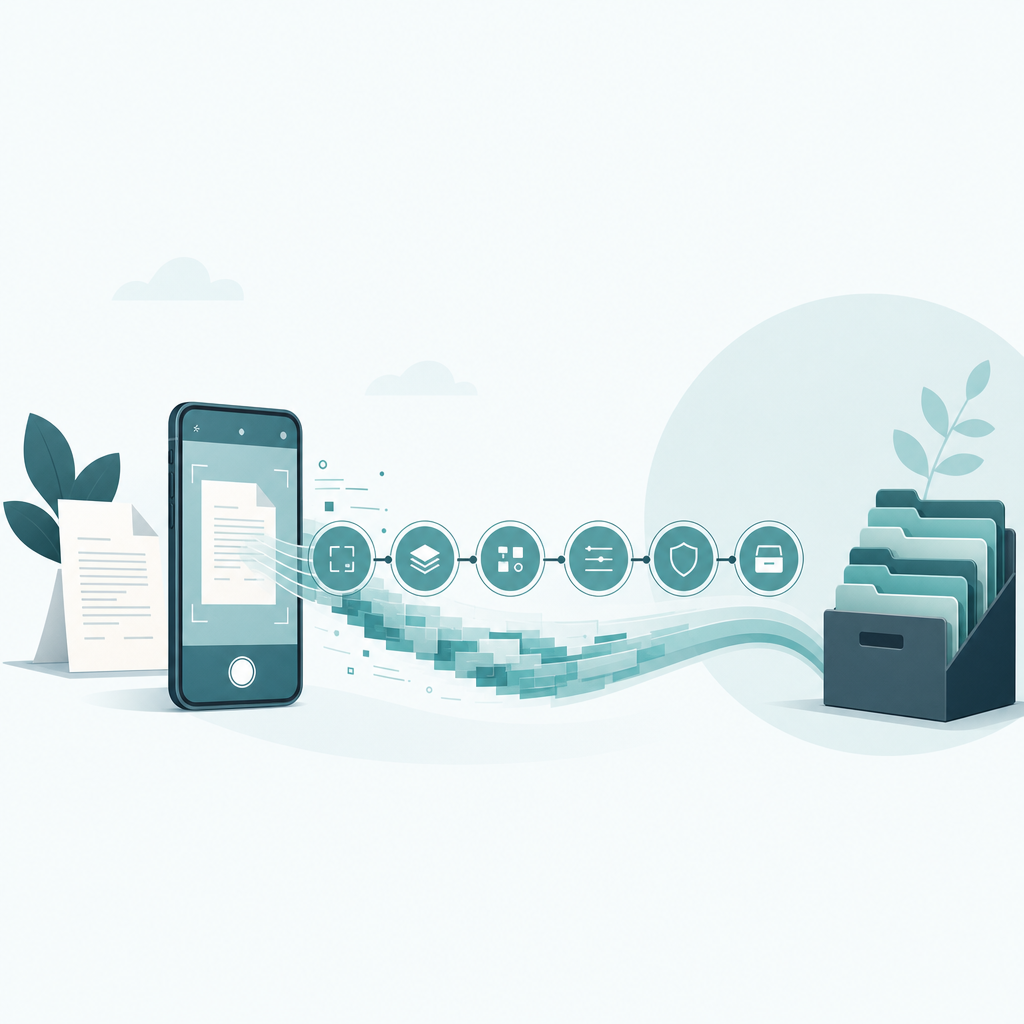
Short answer: A paperless document workflow is a fixed path every page travels: capture with your phone, run OCR so the text is searchable, rename with one consistent scheme, sign if needed, send by email or fax, then file in a dated archive. Build the path once and you stop deciding what to do with each piece of paper — you just feed it in.
The thing that breaks most "going paperless" attempts is not the scanning. It is the pile of files named IMG_4821.jpg that nobody can find six months later. A workflow is worth building only if Future You can locate a signed lease or a 2024 receipt in under thirty seconds. So this guide is built backwards from that test, and the folder-and-filename scheme below is the load-bearing part.
The system, in one line
Here is the whole loop, and it is the system we use to never touch a printer:
Capture → OCR → Name → Sign → Send → Archive.
Six stages. Each one hands a clean, predictable object to the next. The reason it holds up is that naming happens early — stage three, before signing or sending — so the file is already findable the moment it exists. Most people name last, or never, and that is the leak.
Stage 1 — Capture: the phone is the scanner now
For a home or small-business setup, a flatbed scanner is usually the wrong first purchase. It is faster to scan a document with your phone as step one: edge detection finds the page, perspective correction squares it, and you get a multi-page PDF without standing at a machine. A dedicated flatbed still wins for fragile originals, photos, or a 200-page book — but for invoices, letters, contracts, and receipts, the camera in your pocket is enough.
Two capture habits matter more than the device. Lay the page on a contrasting surface so the app finds the corners, and fix the crop before you save, not after. A wave-cropped page haunts you later when OCR mangles the half-cut line of text.
Stage 2 — OCR: make the page searchable, not just a picture
A scan with no text layer is a photo of words — you cannot search it, and neither can your archive. Optical character recognition (OCR) adds an invisible, selectable text layer behind the image, which is what makes "find that contract with the renewal clause" possible later.
Save as searchable PDF, not flat JPEG. I will not quote an accuracy percentage here, because OCR quality depends heavily on the original — a crisp printed invoice reads cleanly, a faint thermal receipt or handwriting does not, and any single "97%" number you see online is marketing, not a measurement of your document. The qualitative rule that holds: contrast and a tight crop help OCR far more than megapixels.
Claim: OCR is what turns a scan into a findable record.
Evidence: A searchable PDF carries a text layer; a JPEG does not, so full-text search and copy-paste only work on the former.
Limit: OCR accuracy varies by source quality and language and cannot be promised as a fixed percentage.
Action: Default your scanner's export to searchable PDF, and spot-check the text layer on anything you might need to find by keyword.
Stage 3 — Name: the scheme that makes the whole thing work
This is the stage people skip and the reason archives rot. Pick one filename pattern and never deviate. ISO guidance on records management points to consistent, structured naming and retention rules rather than ad-hoc folders; the practical version we use is date-first, because dates sort and never collide:
YYYY-MM-DD_Party_DocType_Descriptor.pdf
Real examples:
2026-03-14_AcmeLandlord_Lease_Apt4B-signed.pdf2026-01-09_ConEdison_Invoice_Jan.pdf2026-05-22_IRS_Receipt_EstimatedTax-Q2.pdf
Why date-first: filenames sort chronologically on their own, so a folder becomes a timeline. Why Party before DocType: you almost always remember who before what. The -signed suffix is a flag you will thank yourself for — it tells you at a glance which version is executed.
Folders stay shallow. One level per year, one for taxes, one for the household or business, one "Inbox" for unfiled scans:
/Documents
  /Inbox            ← everything lands here first
  /2026
    /Taxes
    /Property
    /Health
  /2025
    /Taxes ...
The Inbox is the trick. Capture and OCR dump into Inbox; naming and filing move it out. If a file is still in Inbox, it is not done. That single rule keeps the system honest.
Stage 4 — Sign: electronic signatures hold up, with conditions
You can sign most documents on the phone or laptop without printing. In the United States, the federal ESIGN Act and the state-level UETA establish that an electronic signature is not denied legal effect simply for being electronic. In the European Union, the eIDAS Regulation does the same and defines tiers — simple, advanced, and qualified electronic signatures — where higher tiers carry stronger legal weight. Read the relevant ESIGN Act / eIDAS pages for the specifics before you rely on them for anything contractual.
Two caveats worth stating plainly. Some document types are commonly carved out — wills, certain notarized instruments, some property transfers — and rules vary by country and state. And the strongest standing usually comes from keeping evidence of intent and consent, not just a typed name. This is general information, not legal advice; for high-stakes agreements, confirm the requirement with the other party or a professional.
Stage 5 — Send: email by default, fax when they insist
Most of the time, send is a clean PDF over email or a shared-drive link. But healthcare, legal, and government offices still ask for a fax number, and arguing with intake staff is not a workflow. When that happens, you do not need to break the paperless loop — you can send the same scan as a fax straight from your phone, recipient number and all, without a machine in the building.
Decide by the request, not by habit. If the other side accepts a PDF, email it and move on. If they say "fax it," fax it from the phone. Either way the file you send is the same named, OCR'd PDF from stage three, so your archive copy stays identical to what went out.
Stage 6 — Archive: build it so an audit is boring
The archive is where retention rules live. The IRS publishes guidance on keeping records — including that electronic records are acceptable and that retention periods depend on the document and situation (commonly a few years for ordinary returns, longer in specific cases). Check current IRS guidance for your exact period rather than trusting a round number; tax-authority rules outside the U.S. differ, so use your own jurisdiction's guidance.
Practically: keep the dated /Taxes folder per year, back it up in at least two places (one off-device), and never delete on a hunch. Storage is cheap; reconstructing a lost receipt at audit time is not. The point of all the naming discipline upstream is that when someone asks for "the 2024 utility bills," you open one folder and they are already sorted by date.
What this saves, honestly
I will not invent a "saves X hours per week" figure — that depends entirely on your paper volume. What is verifiable from the workflow itself: a printer disappears from the path, every file is searchable instead of a photo, and retrieval is folder-deep rather than memory-deep. Those are structural wins, not measured ones, and I am labeling them as such.
FAQ
Do I need a flatbed scanner to go paperless, or is a phone enough?
For everyday documents — invoices, letters, contracts, receipts — a phone camera with edge detection and OCR is enough, and it is faster to use because there is no machine to walk to. Keep a flatbed only if you regularly scan fragile originals, photographs, or thick bound material where a camera struggles with flatness and glare.
Are electronic signatures actually legal for contracts?
In most cases yes. The U.S. ESIGN Act and state UETA, and the EU eIDAS Regulation, all give electronic signatures legal effect. There are exceptions — some wills, notarized documents, and property transfers — and rules vary by jurisdiction. For important agreements, check the relevant ESIGN Act or eIDAS guidance and confirm with the other party. This is general information, not legal advice.
What is the single most important part of a paperless document workflow?
Consistent file naming, done early. A date-first scheme like YYYY-MM-DD_Party_DocType_Descriptor.pdf turns a folder into a searchable timeline. Without it, you accumulate findable-by-nobody files named after camera defaults. Name at capture, before signing or sending, so the file is locatable the moment it exists.
How long should I keep digital tax records?
It depends on the document and your situation. The IRS accepts electronic records and publishes retention periods — often a few years for ordinary returns, longer in specific cases such as unfiled or fraudulent returns. Check current IRS guidance for your exact period, and use your own country's tax-authority rules if you are outside the U.S.
Why does fax still come up in 2026 if everything is digital?
Because healthcare, legal, and some government offices retained fax for compliance and process reasons. You do not have to keep a machine for it. Scan with your phone, then transmit the same PDF to a fax number from an app, keeping your workflow paperless end to end.
The decision
Build the loop once: capture on the phone, OCR to searchable PDF, name with the date-first scheme, sign electronically, send by email unless someone demands fax, archive by year with a backup. Start with stage three — fix your naming convention before you scan a single new page, because it is the part that makes everything after it findable. Scan Cam is built by CodeBaker, which makes a small family of phone-first document utilities for exactly this "handle it once, on the device in my hand" approach.