
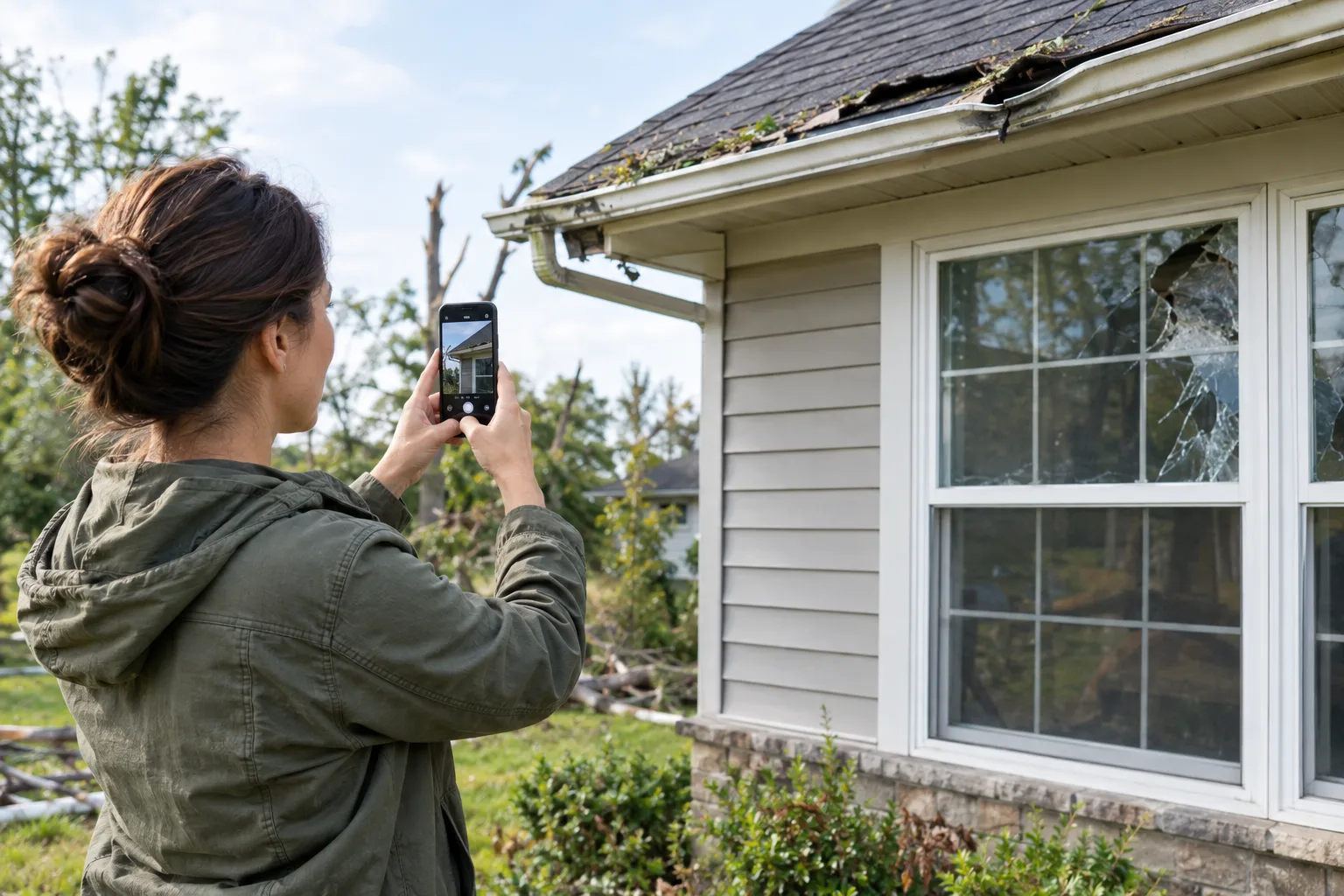
When a line of severe storms or a tornado warning rolls through, the first hours afterward are about safety. But once everyone is safe and the danger has passed, homeowners face a second, slower job: proving to an insurance company what was damaged. The difference between a smooth claim and a frustrating one often comes down to how well you documented the damage and how clearly you handed that evidence to your adjuster.
This is an evergreen homeowner checklist for turning post-storm damage into an organized insurance-claim packet — what to photograph, which papers to gather, and how to combine it all into one clean file. Insurance rules vary by policy, peril, and state, so treat your own policy and your adjuster as the final word; this guide covers the documentation steps that stay the same from storm to storm.
Make safety and your insurer's instructions the first step
Before any paperwork, stay out of structurally unsafe areas, downed-power-line zones, and standing water. Once it is safe to assess your property:
- Contact your insurance company or agent and report the damage. Ask exactly what your claim requires — the documentation an adjuster wants can differ between insurers.
- Start a simple claim log. Note the date and time of each call, who you spoke with, your claim number, and what you were told to do next.
- Ask before you act on anything irreversible — especially throwing damaged items away or starting permanent repairs.
Coverage is never automatic. Whether wind, hail, water, or flood damage is covered depends on your specific policy, your deductible, and your state, so let your insurer confirm what applies rather than assuming.
Photograph and video the damage before cleanup
The single most useful thing you can do early is capture the damage before you start cleaning up, while everything is still in place. Aim for a mix of:
- Wide shots that show each affected room or area of the property in context.
- Close-ups of specific damage — a cracked window, a soaked ceiling, a dented roof line, broken belongings.
- A room-by-room or area-by-area sequence, so it is obvious which photo belongs where.
- Short videos walking through the space, narrating what you are seeing.
Photographs, video, and an inventory can support a claim. The NAIC post-disaster claims guide advises documenting damage, retaining relevant records, and working with the insurer. Keep damaged items where safe and practical, ask before permanent repairs or disposal, and save temporary-repair receipts. Your policy and insurer’s instructions determine coverage, deadlines, and the required evidence.
Gather the documents that support the claim
Photos show the damage; paperwork establishes value and ownership. Pull together whatever of the following applies to you:
- Your insurance policy pages and declarations, so you can reference coverage and your deductible.
- Receipts and proof of purchase for damaged belongings, where you still have them.
- A home inventory or list of damaged items with rough purchase dates and values.
- Temporary-repair receipts (tarps, plywood, emergency contractor visits).
- Contractor estimates for permanent repairs, once you obtain them.
- Notes from your claim calls and any written communication with the insurer.
- Living-expense receipts, if the home is not usable and your policy includes that — confirm this with your adjuster.
Build a simple storm-damage claim packet
An adjuster handling dozens of post-storm claims will move faster on a file that is organized than on a folder of unlabeled phone pictures. You do not need anything fancy — just group your evidence into clear categories:
- Damage photos and video, grouped by room or area.
- Damaged-items list with receipts attached where available.
- Repair documentation — temporary-repair receipts and contractor estimates.
- Policy and contact notes — policy pages, claim number, and your call log.
The goal is that anyone opening your packet can understand what happened, what was lost, and what it will cost — without having to call you to decode it.
How to turn claim paperwork into one clean PDF on your phone
Scan or import the paperwork, review the page edges and orientation, and save a legible PDF if your scanner supports that format. If a recipient sets a file-size limit, compress a copy and check every page again before submission. Processing and delivery time depend on the file, app, connection, and recipient; no speed or acceptance is guaranteed.
Scan or import the paperwork, review the page edges and orientation, and save a legible PDF if your scanner supports that format. If a recipient sets a file-size limit, compress a copy and check every page again before submission. Processing and delivery time depend on the file, app, connection, and recipient; no speed or acceptance is guaranteed. Scan Cam, the document scanner for iOS and Android
A practical workflow:
- Lay each document flat on a plain, contrasting surface in even light.
- Let the app auto-detect the borders and capture the page upright.
- Check that every number, date, and signature is legible — retake anything soft.
- Add multi-page items (a two-page estimate, a multi-page policy section) into one PDF.
- Name each file clearly — "policy-declarations", "roof-estimate", "receipts-living-room" — before you send.
Before you send anything, confirm the format with your adjuster
Insurers differ in how they want claim evidence delivered. Some use an online portal, some want email, some still ask for certain originals. Before you submit, ask your adjuster whether they prefer:
- One combined PDF packet, or separate files per category.
- Photos as image files versus embedded in a PDF.
- Upload through their app or portal, versus email.
- Any specific form or claim template they need filled out alongside your documents.
A clean PDF is a convenience for the adjuster — it does not replace your insurer's own forms, and it will not by itself speed approval or change your payout. What it does is remove friction, so nothing gets bounced back for being unreadable.
Keep a backup until the claim is closed
Claims can take time, and details get re-requested. Until yours is fully settled, keep a backup copy of everything: the combined PDF packet, your raw photos and video, the original receipts, your claim number, your call log, and any updated estimates. If you slide from a temporary repair into a permanent one, add those receipts to the same folder so your record stays complete.
You cannot control the weather, and you cannot control your policy's fine print. What you can control is whether your evidence is clear, complete, and easy to read when the adjuster opens it. Document the damage carefully, keep your paperwork in one place, and let a clean, organized PDF do the talking.
This article is general guidance on documenting damage, not insurance advice. Coverage, deductibles, deadlines, and required documentation vary by policy, peril, insurer, and state — always follow your own policy terms and your adjuster's instructions.
For the related workflow and its limits, read: How to Scan a Document on Your iPhone or Android (and When You Need More Than the Camera).